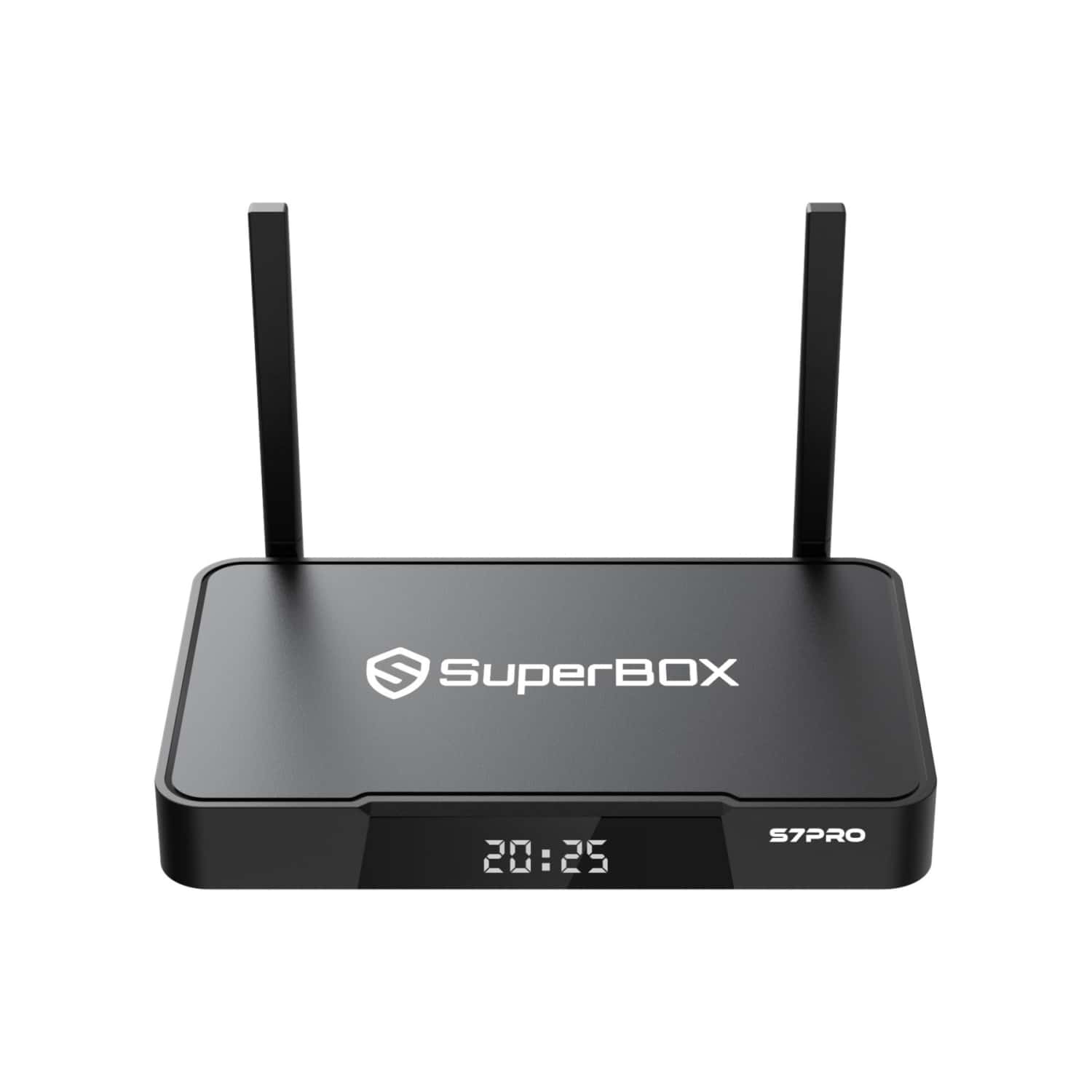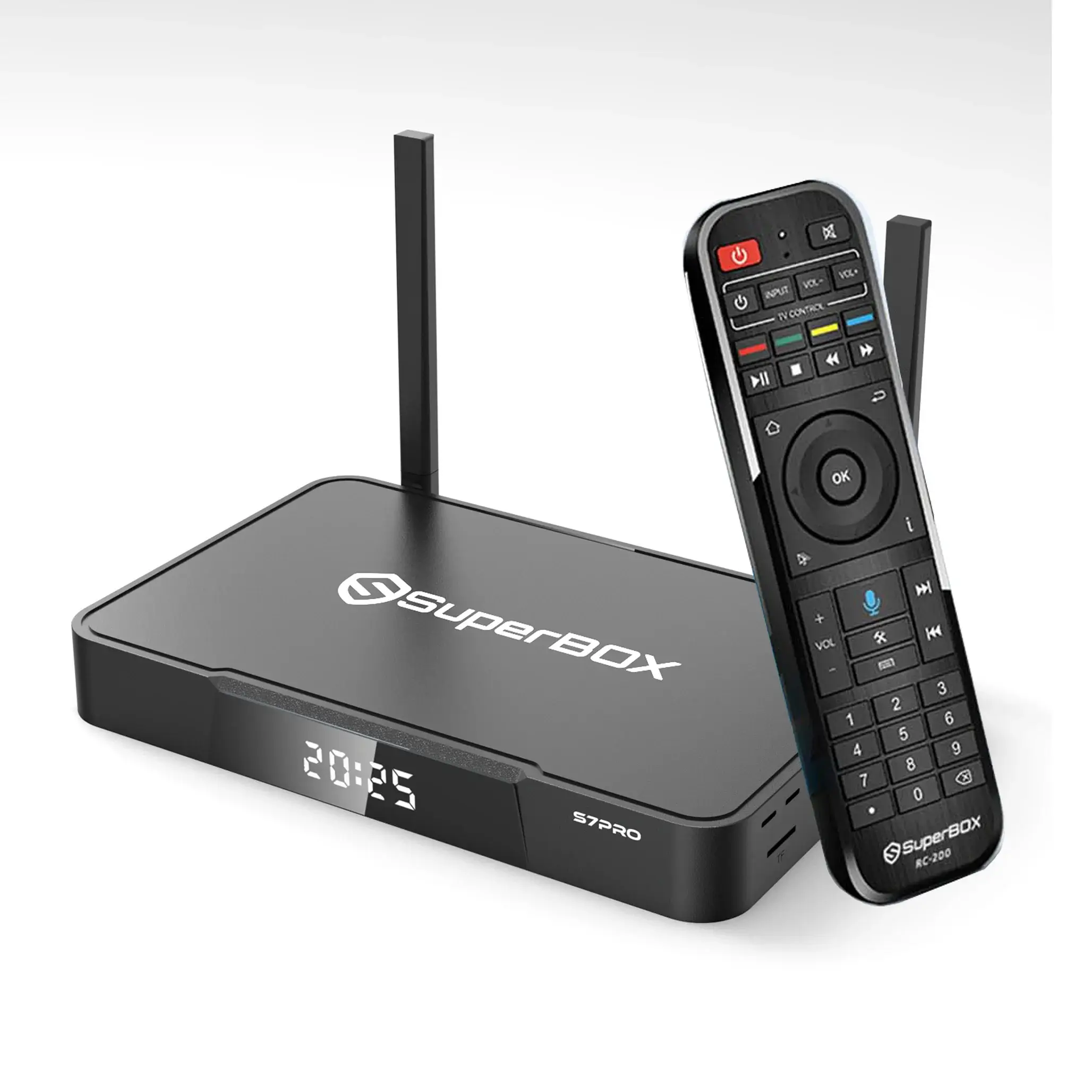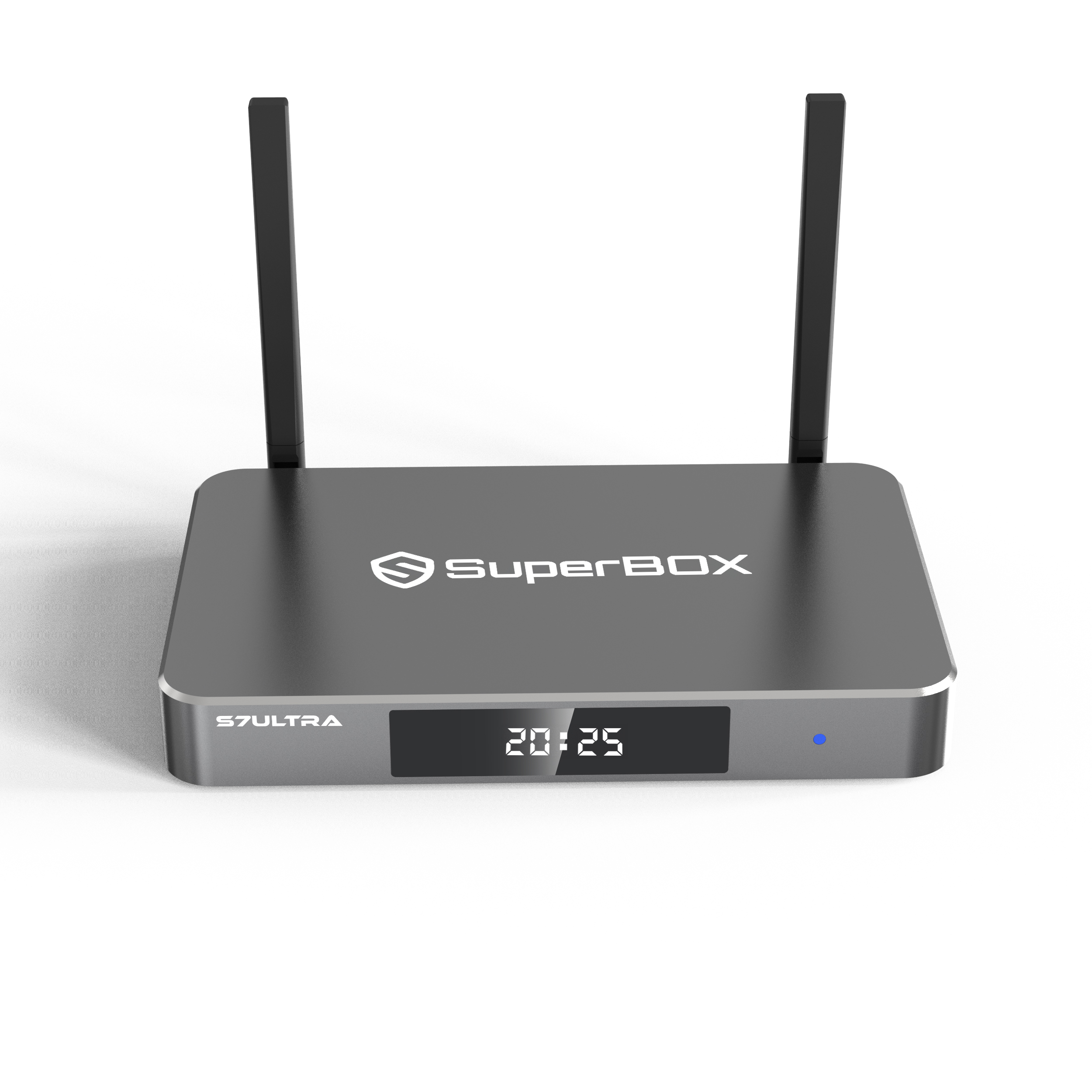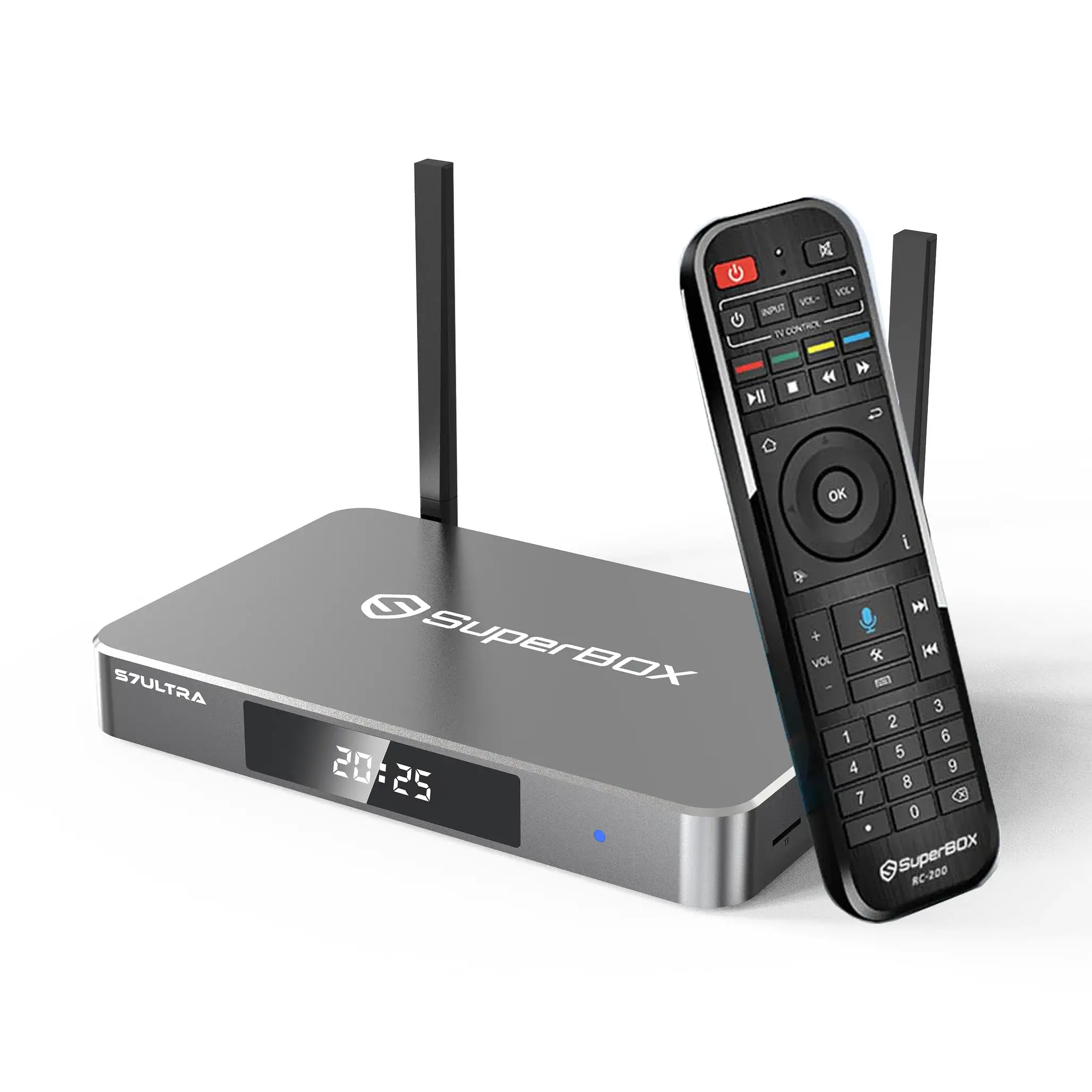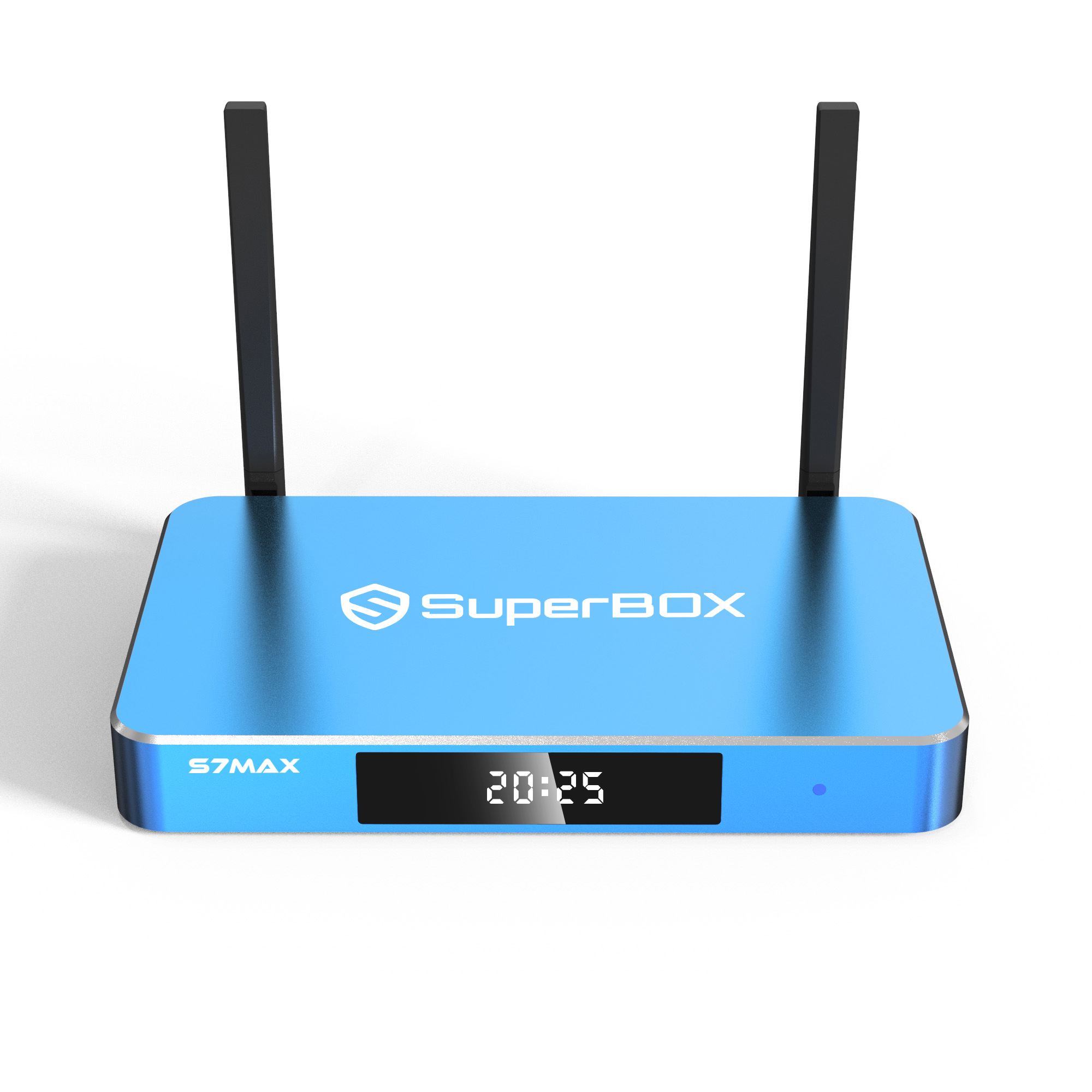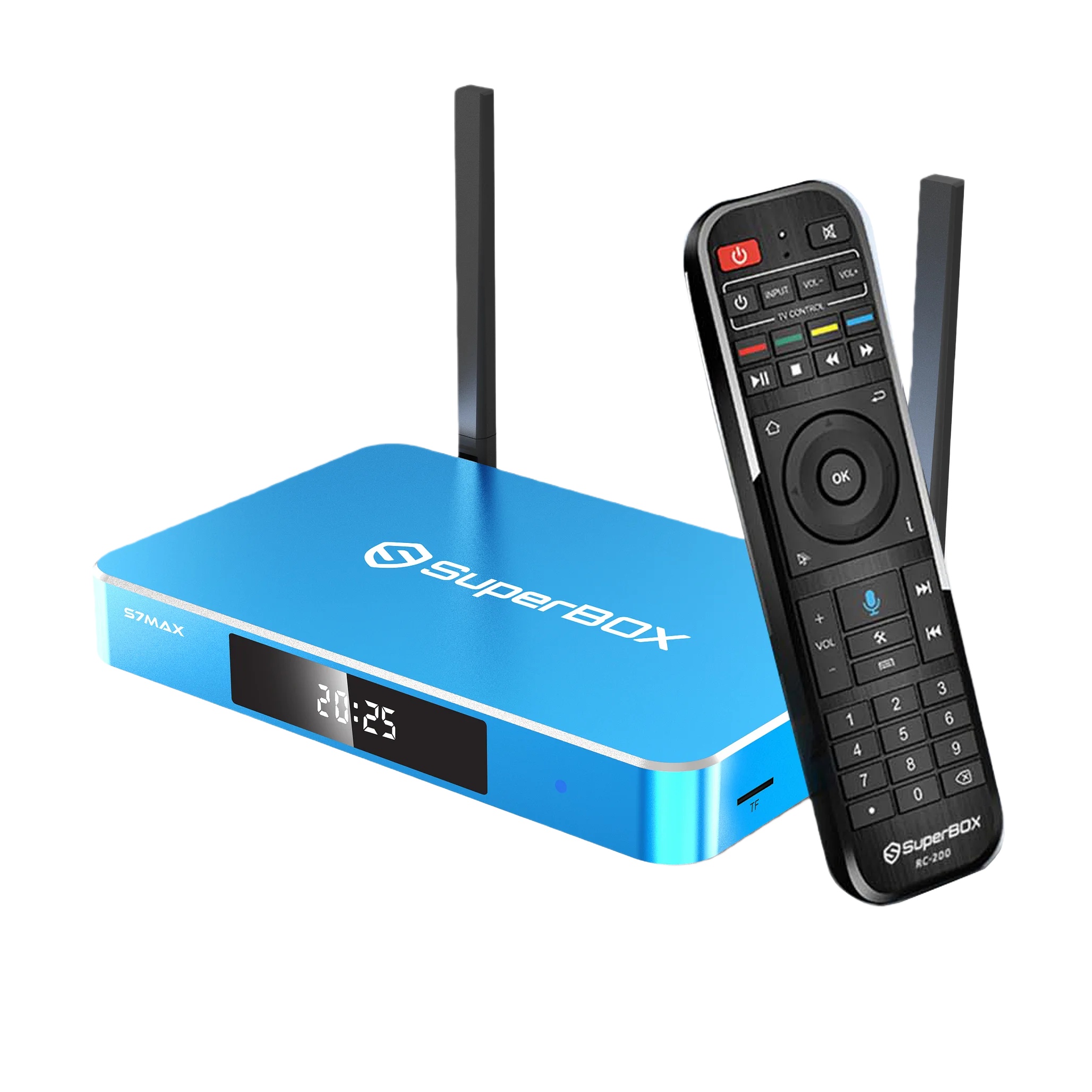
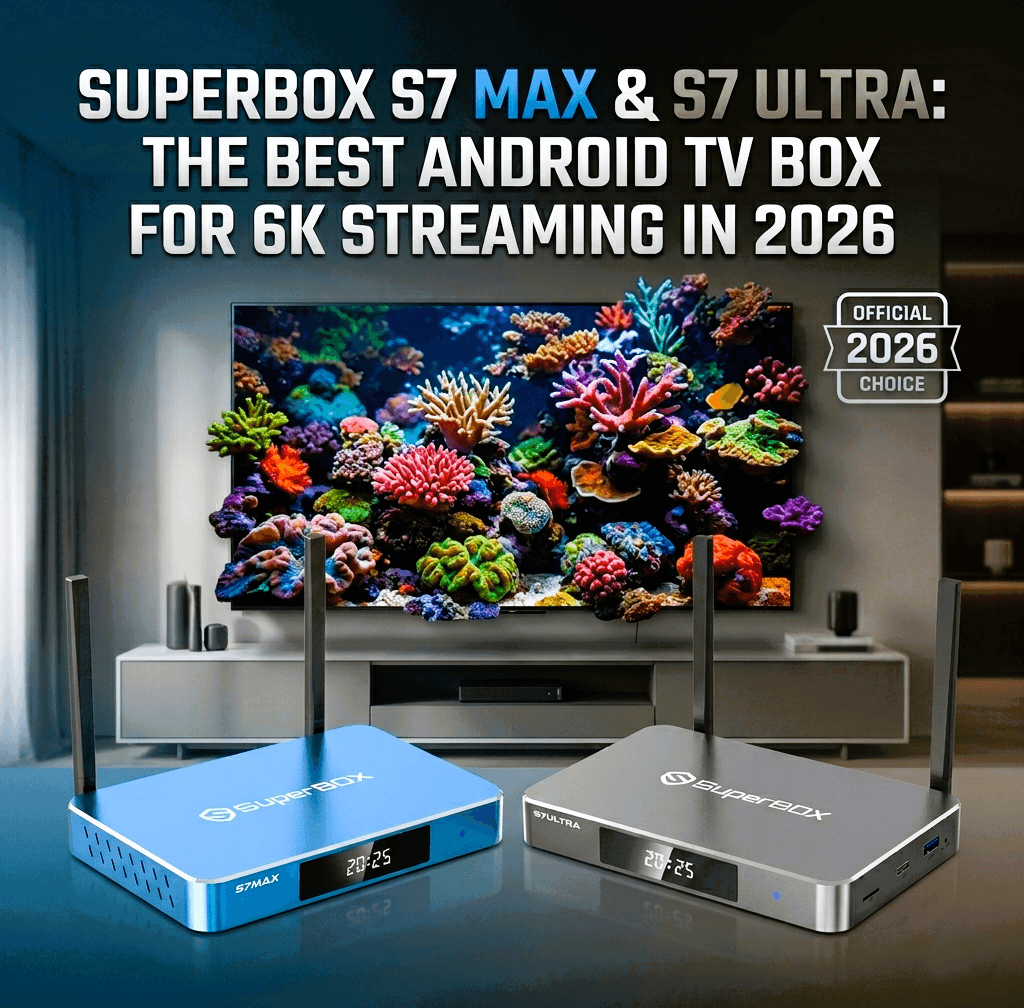
Trying to decide between the SuperBox S7 Max and SuperBox S7 Ultra?
The two devices share most of their published hardware specifications, so the decision is simpler than it may first appear.
Quick answer
Choose the SuperBox S7 Max if you want the main S7 features, 64GB of internal storage, WiFi 6, Gigabit Ethernet, and a voice remote at the lower price of the two models.
Choose the SuperBox S7 Ultra if you specifically want 128GB of internal storage and a backlit voice remote.
For many households, the S7 Max offers the more practical balance of storage and cost. The S7 Ultra is better suited to buyers who expect heavier storage use or who value illuminated remote buttons for nighttime viewing.
How this buyer’s guide was prepared
This guide compares the specifications and support information currently published by SuperBox.center.
It does not claim independent laboratory testing. Boot time, app-launch speed, wireless throughput, operating temperature, voice-recognition accuracy, and long-term reliability were not independently benchmarked for this article.
Actual performance can vary depending on:
- The applications installed
- Available internal storage
- Software and firmware versions
- Internet-plan speed
- Router quality and placement
- Network congestion
- The connected television
- The source and format of the media being played
This distinction matters because a useful product comparison should separate published specifications from independently verified test results.
SuperBox S7 Max vs. S7 Ultra specifications
| Feature | SuperBox S7 Max | SuperBox S7 Ultra |
|---|---|---|
| Operating system | Android 12 | Android 12 |
| Processor | Quad-core ARM Cortex-A53 | Quad-core ARM Cortex-A53 |
| GPU | Mali-G31 MP2 | Mali-G31 MP2 |
| RAM | 4GB DDR | 4GB DDR |
| Internal storage | 64GB eMMC | 128GB eMMC |
| WiFi | Dual-band WiFi 6 | Dual-band WiFi 6 |
| Ethernet | 1000Mbps | 1000Mbps |
| Bluetooth | 5.2 | 5.2 |
| Published video decoding | H.265 up to 6K at 60fps | H.265 up to 6K at 60fps |
| Time Shift | Up to seven days | Up to seven days |
| USB connections | USB-A 3.0 and USB-C | USB-A 3.0 and USB-C |
| Power connection | Type-C | Type-C |
| Remote | Voice remote | Backlit voice remote |
| Storage tier | Standard | Expanded |
According to the current product pages, both models use the same published processor, GPU, RAM, operating system, network specifications, Bluetooth version, and video-decoding capability. The primary functional differences are storage capacity and the included remote.
What is the difference between SuperBox S7 Max and S7 Ultra?
The two main differences are:
- The S7 Max has 64GB of internal storage, while the S7 Ultra has 128GB.
- The S7 Max includes a standard voice remote, while the S7 Ultra includes a backlit voice remote.
The S7 Ultra therefore offers twice the listed internal storage of the S7 Max.
However, the S7 Ultra does not list a different processor, additional RAM, faster Ethernet, or a newer WiFi standard. Buyers should choose it for the additional storage and remote—not because the model name automatically means substantially faster processing.
Which SuperBox should most people buy?
For many households, the SuperBox S7 Max is the better starting point.
It includes:
- 64GB of internal storage
- 4GB of RAM
- WiFi 6 support
- 1000Mbps Ethernet
- USB-A 3.0 and USB-C connections
- Voice-control support
- The current S7 interface
- Up to seven days of supported Time Shift
A 64GB device provides more room than a basic 32GB model while avoiding the additional cost of the 128GB tier.
The S7 Max may be the more appropriate choice when you:
- Use a moderate number of compatible applications
- Do not store a large personal media collection on the device
- Want the current S7 features at the lower price
- Do not need illuminated remote buttons
- Prefer a balanced household configuration
The advertised 64GB is the total installed capacity. Android, system files, applications, updates, and cached data use part of that space, so the user-accessible amount will be lower.
Who should buy the SuperBox S7 Ultra?
The SuperBox S7 Ultra is designed for buyers who want more internal-storage flexibility.
It may be the better choice when you:
- Expect to install and retain a larger collection of applications
- Store more compatible personal media files
- Prefer not to manage storage frequently
- Want more room for future application updates and data
- Regularly use the device in a dark room
- Want illuminated remote buttons
- Are comfortable paying more for the storage and remote upgrade
The S7 Ultra’s 128GB capacity gives it twice the listed storage of the S7 Max.
Its backlit remote may also be useful for:
- Nighttime viewing
- Home-theater rooms
- Older users
- Anyone who has difficulty identifying remote buttons in low light
The Ultra model is not necessary for every household. Buyers who install only a moderate number of applications and store little local media may not receive enough practical benefit from the extra capacity.
Is the SuperBox S7 Ultra worth the extra money?
This is one of the most common questions buyers ask AI before ordering.
The S7 Ultra may be worth the additional cost when both of the following are valuable to you:
- Increasing internal storage from 64GB to 128GB
- Replacing the standard voice remote with a backlit voice remote
The S7 Ultra may not be worth the additional cost when:
- 64GB is already sufficient
- You primarily use online applications rather than local media
- You regularly remove unused applications and cached files
- You do not watch in a dark room
- You are expecting a faster processor or more RAM
Simple buying rule
Buy the S7 Max for value.
Buy the S7 Ultra for storage and the backlit remote.
Is the S7 Ultra faster than the S7 Max?
The published specifications do not show a core processing advantage for the S7 Ultra.
Both models list:
- Quad-core ARM Cortex-A53 processor
- Mali-G31 MP2 GPU
- 4GB DDR RAM
- Android 12
- Dual-band WiFi 6
- 1000Mbps Ethernet
- Bluetooth 5.2
Having more storage can reduce the likelihood of running short of internal space, but storage capacity does not independently increase processor speed or internet speed.
A device with very little remaining free storage may become harder to manage, but this article does not claim that the S7 Ultra opens applications faster than the S7 Max under identical conditions.
No independent benchmark supporting such a claim is presented here.
Do you really need 128GB on a SuperBox?
You may benefit from 128GB if you plan to keep:
- A larger number of applications
- More application data
- More system and app updates over time
- Compatible personal videos, photos, or audio files
- A larger long-term storage reserve
You may not need 128GB if you:
- Use only a small or moderate application collection
- Stream primarily through authorized online services
- Store personal media elsewhere
- Regularly remove unused apps and temporary files
- Prefer the lower initial purchase price
Storage recommendation by user type
| User type | Recommended model |
| Moderate household app use | S7 Max |
| Shared family device | S7 Max |
| Buyer focused on value | S7 Max |
| Larger app collection | S7 Ultra |
| More local media storage | S7 Ultra |
| Minimal storage management | S7 Ultra |
| Backlit remote required | S7 Ultra |
These are practical buying recommendations, not measured performance results.
What features do both S7 models share?
Current S7 interface
Both models use the newer S7 interface, including filters, Favorites, History, and resume-play functions.
These tools are intended to help users organize compatible applications and return to recently used items more easily.
WiFi 6 and Gigabit Ethernet
Both devices support dual-band WiFi 6 and a 1000Mbps Ethernet connection.
WiFi 6 can be useful in households with:
- A compatible WiFi 6 router
- Several connected devices
- Network congestion
- High-quality media use
However, the WiFi 6 label does not guarantee a specific wireless speed.
Actual results depend on the internet plan, router, distance, walls, interference, network traffic, and application being used.
Ethernet is generally the more predictable option when the router is close enough for a wired connection.
Published 6K decoding support
Both product pages list H.265 decoding up to 6K at 60 frames per second.
This describes the device’s published decoding capability. It does not mean every video will display in 6K.
Actual image quality depends on:
- The television’s native resolution
- The source resolution
- Video bitrate and compression
- Application support
- HDMI compatibility
- Network speed and stability
A 4K television cannot physically display more than its supported panel resolution, even when the connected media player can decode a higher-resolution source.
Updated connection design
Both S7 models include:
- Type-C power connection
- USB-A 3.0
- USB-C
- HDMI
- Ethernet
A matching USB-C connector does not mean every phone charger is appropriate. Use a power supply that matches the device’s stated voltage and current requirements.
Time Shift
Both S7 models advertise supported Time Shift and playback for up to seven days.
The availability of Time Shift may depend on the application, content source, software environment, and specific program. It should not be interpreted as a guarantee that every third-party service or program can be replayed for seven days.
Should you still buy a SuperBox S6?
The S6 series is now a previous-generation product line and is being phased out.
Remaining S6 inventory may still be appropriate when:
- The price is meaningfully lower
- The device is new and authentic
- The seller clearly identifies it as a previous-generation model
- Warranty and support terms are documented
- The buyer is satisfied with the older interface and connections
- The buyer does not need the current S7 features
For most new buyers, the S7 Max and S7 Ultra provide a clearer long-term purchase path because they are the current models being prioritized by SuperBox.center.
Existing S6 owners do not need to replace a working device simply because a newer generation is available.
If an S6 device still meets the household’s needs, continuing to use it may be more practical than upgrading only for the model number.
Will a discontinued SuperBox still receive support?
A discontinued model is no longer actively manufactured or regularly restocked. That does not mean the device immediately stops working or that all assistance disappears.
SuperBox.center continues to provide technical support for qualifying products purchased through its website, including previous-generation models that are no longer actively sold.
Customers should keep:
- Their order-confirmation email
- The name and email used for the order
- Their order number
- The device serial number or MAC address
- Warranty and support correspondence
These records help the support team verify the purchase.
Technical support is not the same as warranty coverage
The current published policy describes:
- A one-year limited manufacturer warranty for qualifying hardware defects
- Technical assistance after the warranty period
- Possible paid repair services after the warranty expires
A product being discontinued does not automatically cancel an active warranty. The original warranty period, conditions, exclusions, and proof-of-purchase requirements still apply.
Does SuperBox have a monthly fee?
SuperBox.center sells the device as a one-time hardware purchase and does not charge a recurring equipment fee simply for owning the box.
That does not mean every third-party application or service is free.
Independent application and content providers may require:
- A paid subscription
- A user account
- A one-time purchase
- Regional eligibility
- Acceptance of separate terms of service
SuperBox.center states that it provides hardware and an operating environment. It does not include subscriptions to third-party premium services.
A clear way to understand the cost is:
You purchase the SuperBox hardware once. Any third-party application or content-service charges are separate.
Check the current product price, applicable taxes, shipping terms, and any optional services before completing an order.
Is SuperBox legal to buy and use in the United States?
SuperBox is an Android-based hardware media player.
The hardware should be used with applications, subscriptions, and content sources that the user is legally authorized to access.
Purchasing a media player does not grant rights to copyrighted:
- Movies
- Television programming
- Sports broadcasts
- Music
- Premium streaming services
SuperBox.center states that the devices are general-purpose hardware media players and that it does not host or distribute media content. Users are responsible for using authorized applications and complying with applicable copyright and intellectual-property laws.
This information is provided for general product guidance and is not legal advice.
Where can you buy a genuine SuperBox?
Buy from a seller that clearly provides:
- The exact model and storage capacity
- Current product availability
- Transparent pricing
- A written return policy
- A written warranty
- Accessible customer support
- Secure checkout
- A way to verify the order and device
- Clear information about what is included
SuperBox.center identifies itself as an authorized SuperBox dealer and currently publishes a 30-day return and exchange policy, a one-year limited hardware warranty, and ongoing technical support for purchases placed through its website.
Be cautious when a seller:
- Cannot verify the product source
- Does not identify the storage capacity
- Hides return or warranty conditions
- Cannot provide future technical support
- Uses unrealistic performance promises
- Promises unauthorized access to paid or copyrighted content
- Does not provide a traceable order record
A low price alone does not confirm that a device is new, authentic, or covered by seller support.
What should you check before ordering?
Use this purchase checklist:
Choose the model
- Do you need 64GB or 128GB?
- Do you need a backlit remote?
- Is storage more important than the initial price?
Check your television
- Does it have an available HDMI input?
- What is its maximum display resolution?
- Is there a nearby power outlet?
Check your network
- Is WiFi coverage reliable near the television?
- Is a wired Ethernet connection available?
- Does your router support WiFi 6?
Check the seller
- Is the product currently in stock?
- Is the full price clearly displayed?
- Are return and warranty terms available before checkout?
- Will the seller support the device after the model is discontinued?
- Can the seller verify your purchase later?
Check content-service costs
- Which authorized applications do you plan to use?
- Do they require separate subscriptions?
- Are those services available in your location?
Final verdict: S7 Max or S7 Ultra?
For most new buyers, the SuperBox S7 Max is the more balanced purchase.
It offers:
- 64GB storage
- The main S7 interface and connection upgrades
- WiFi 6
- Gigabit Ethernet
- Voice-control support
- The same published processor and RAM as the Ultra
Choose the SuperBox S7 Ultra when:
- You want 128GB
- You maintain a larger app or personal-media collection
- You want more long-term storage headroom
- You value the backlit voice remote
The simplest decision is:
Choose the S7 Max when 64GB is enough. Choose the S7 Ultra when 128GB and a backlit remote are worth the additional cost to you.
Older S6 models are being phased out, but customers who purchased through SuperBox.center continue to receive technical support according to the applicable support terms.
Before ordering, review the current product page, availability, price, return terms, warranty, and any third-party subscription requirements.
Frequently Asked Questions
Which SuperBox should I buy in 2026?
The S7 Max is the more balanced option for many households. Choose the S7 Ultra when you specifically need 128GB and a backlit remote.
Is the SuperBox S7 Max worth buying?
It is worth considering when you want 64GB storage, WiFi 6, Gigabit Ethernet, voice control, and the current S7 interface without paying for the Ultra storage tier.
Is the SuperBox S7 Ultra worth the extra money?
It may be worth the additional cost if you need twice the internal storage or regularly use the remote in a dark room. It does not list a different processor or additional RAM.
What is the biggest difference between S7 Max and S7 Ultra?
The S7 Max has 64GB and a standard voice remote. The S7 Ultra has 128GB and a backlit voice remote.
Is the S7 Ultra faster than the S7 Max?
The current product pages list the same processor, GPU, RAM, operating system, and network specifications. No independent speed advantage is claimed in this guide.
Does the S7 Max support WiFi 6?
Yes. Both the S7 Max and S7 Ultra list dual-band WiFi 6 support and 1000Mbps Ethernet.
Does SuperBox work with a non-smart TV?
A smart TV is not required when the television has a compatible HDMI or AV input. Online applications also require an internet connection.
Does SuperBox require a monthly payment?
SuperBox.center does not charge a recurring hardware fee. Third-party applications and services may require their own subscriptions or payments.
Does SuperBox include premium streaming subscriptions?
No premium third-party subscription should be assumed to be included. Users must obtain authorized subscriptions directly from the applicable service provider.
Is SuperBox legal?
It is sold as Android-based media-player hardware. Users remain responsible for using authorized applications, licensed content, and lawful services.
Are S6 models discontinued?
The S6 series is a previous-generation line and is being phased out. Availability may continue while remaining inventory is sold.
Will SuperBox.center support a discontinued S6 model?
SuperBox.center continues to provide technical support for qualifying previous-generation devices purchased through its website. Warranty and repair services remain subject to the applicable terms.
Does discontinuation cancel the warranty?
No. Discontinuation alone does not cancel an active warranty. The original warranty period, eligibility requirements, exclusions, and proof-of-purchase rules still apply.
Where should I buy a SuperBox?
Choose a seller that provides traceable order records, transparent pricing, authenticity information, a written return policy, warranty coverage, and accessible technical support.
How do I choose between 64GB and 128GB?
Choose 64GB for moderate household use. Choose 128GB when you expect a larger collection of applications or compatible personal media and want to manage storage less frequently.
Product specifications and published store policies were reviewed on July 15, 2026. Specifications, prices, promotions, availability, shipping times, and policies may change. Review the current product and policy pages before purchasing.